Best AI Bathroom Design Tools 2026 (Mobile Apps and Websites)
Eleven AI bathroom design tools compared by rating, price and practical usefulness—including the decisions they can preview and the plumbing constraints they cannot see.
Updated
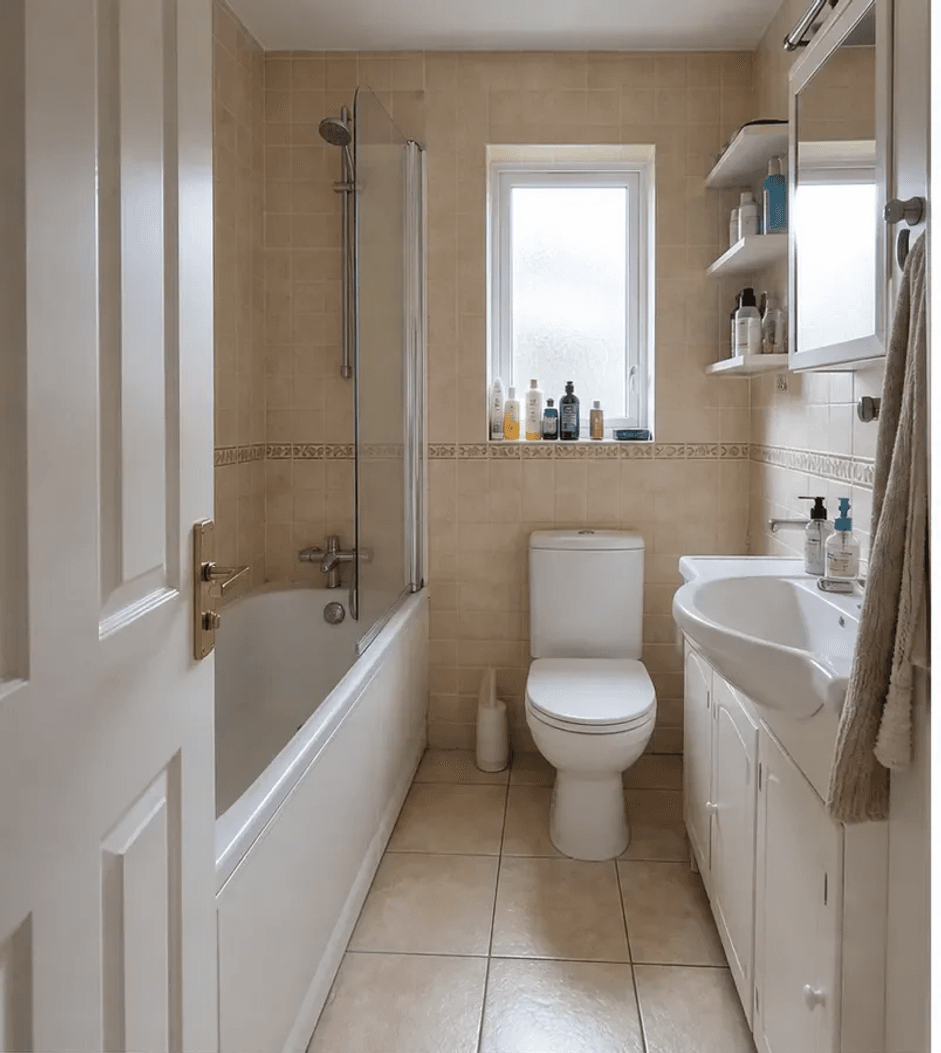
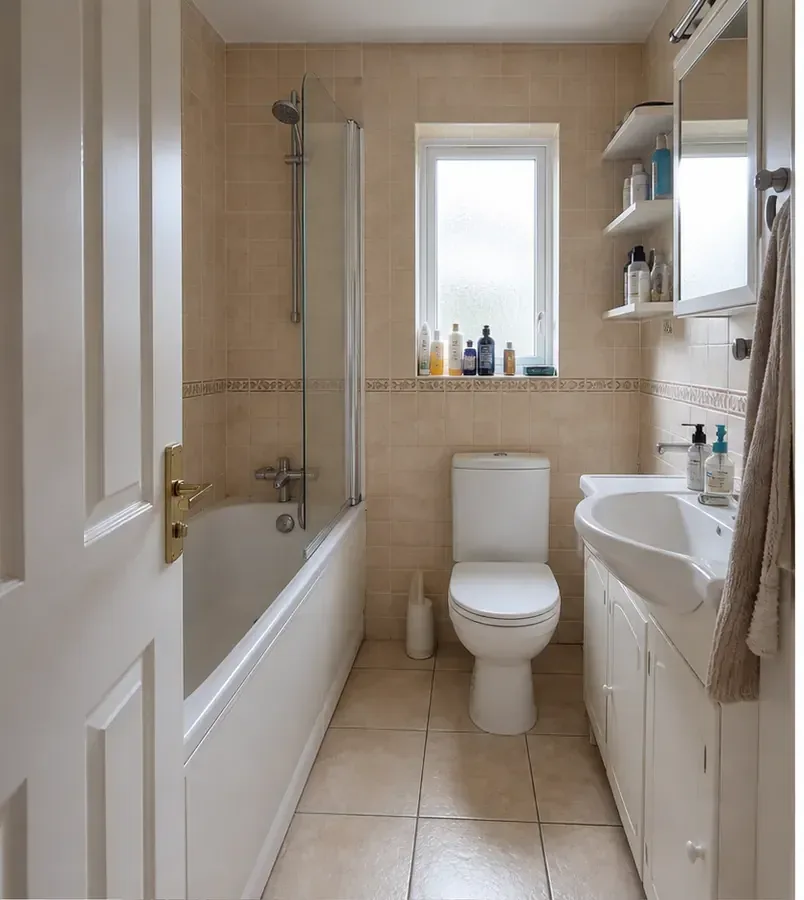
Before
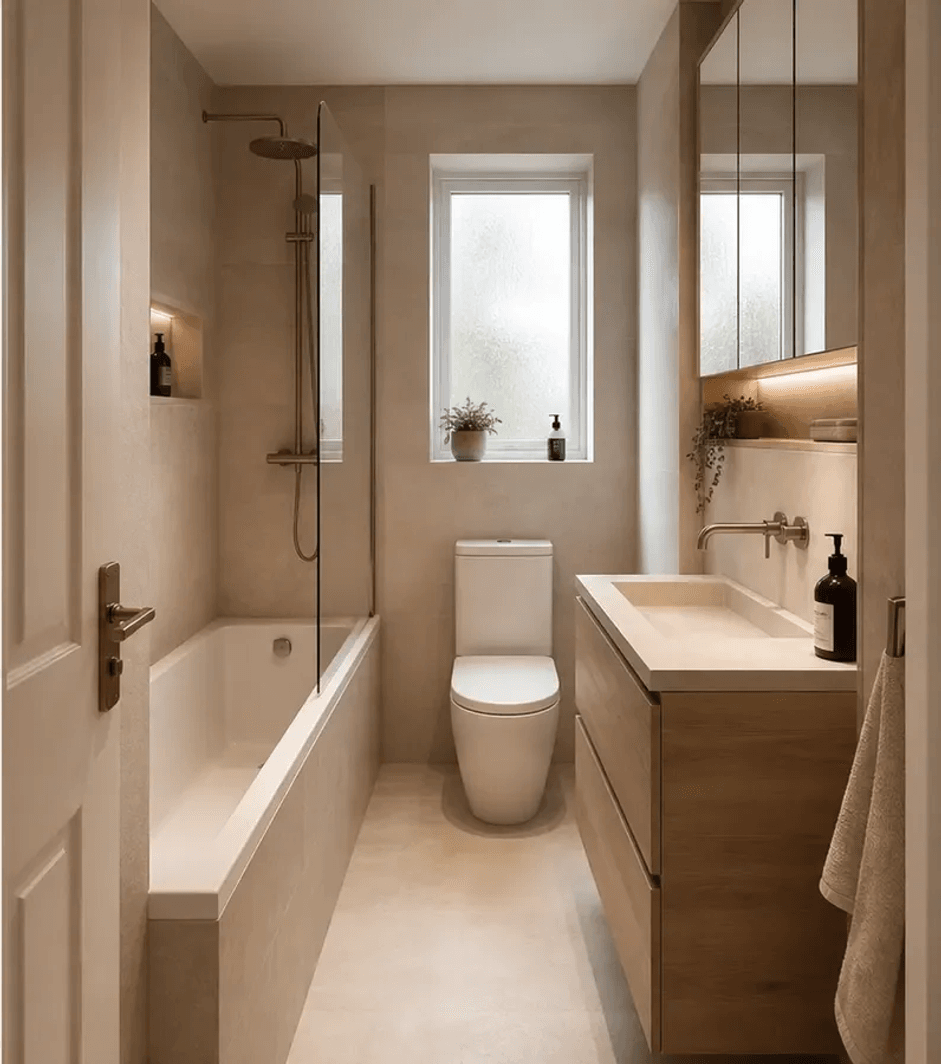
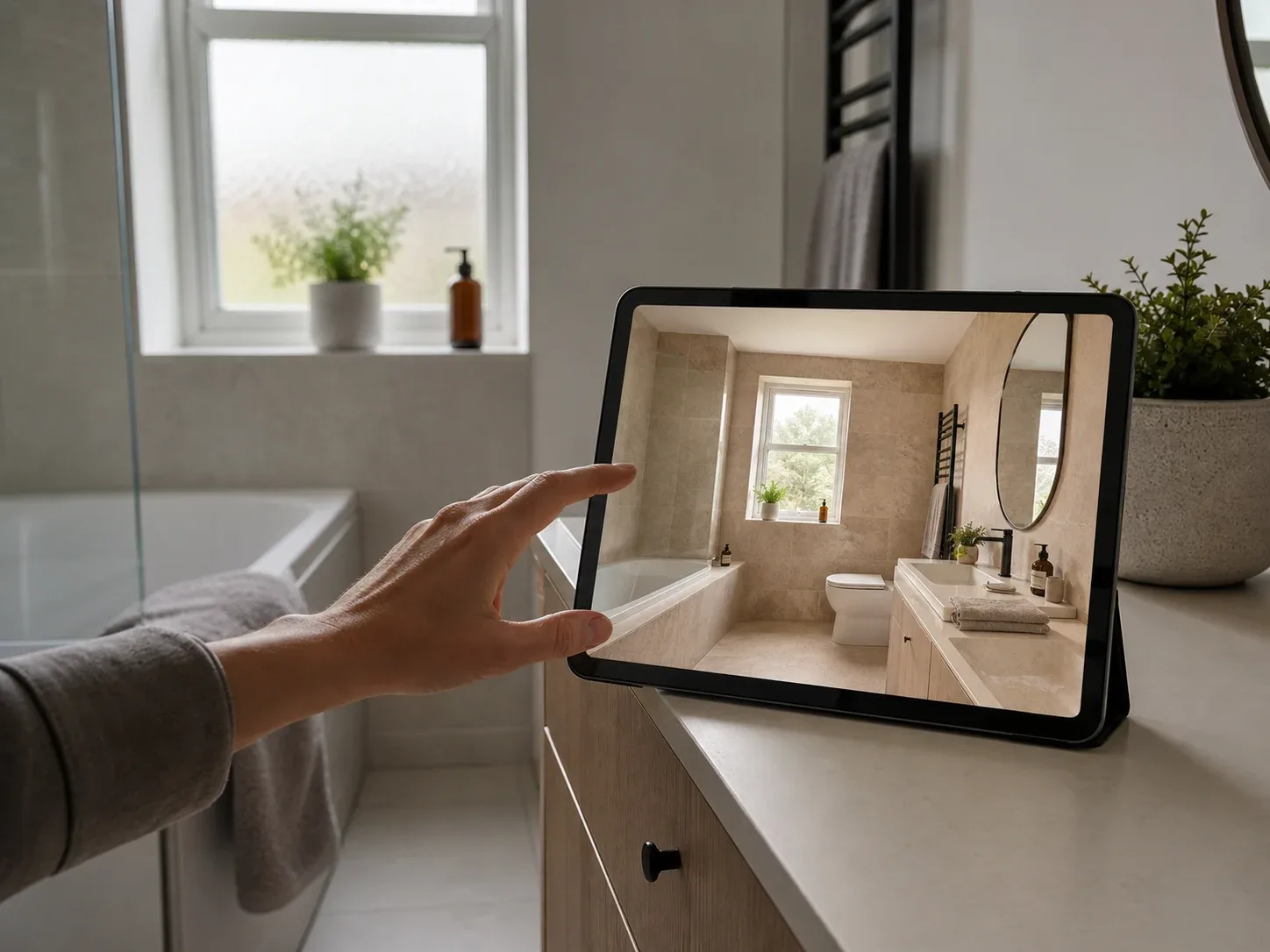
After
Photograph your bathroom, describe what you want, and most of these apps redesign the room in under a minute — new tile, a different vanity, a walk-in shower where the bath is now. That’s useful, because a bathroom is the hardest room to picture differently: small, usually windowless, every surface decided at once, and a tile sample against a wall tells you almost nothing about how it reads across a whole room. It’s also where the gap between what you can change and what you can afford is widest — labour runs 40–65% of the budget, more than any other room, because waterproofing, tiling and plumbing in a confined space is slow work. So we compared eleven tools: mobile apps ranked by App Store rating, newer apps worth knowing about, a warning about the bathroom-only apps filling the App Store, and web tools, plus what a bathroom really costs and which decisions a preview genuinely helps with.
How AI bathroom design tools actually work
The concept is simple. The differences that matter are how faithfully a tool keeps your room and how much control it gives back.
01
Photograph the room
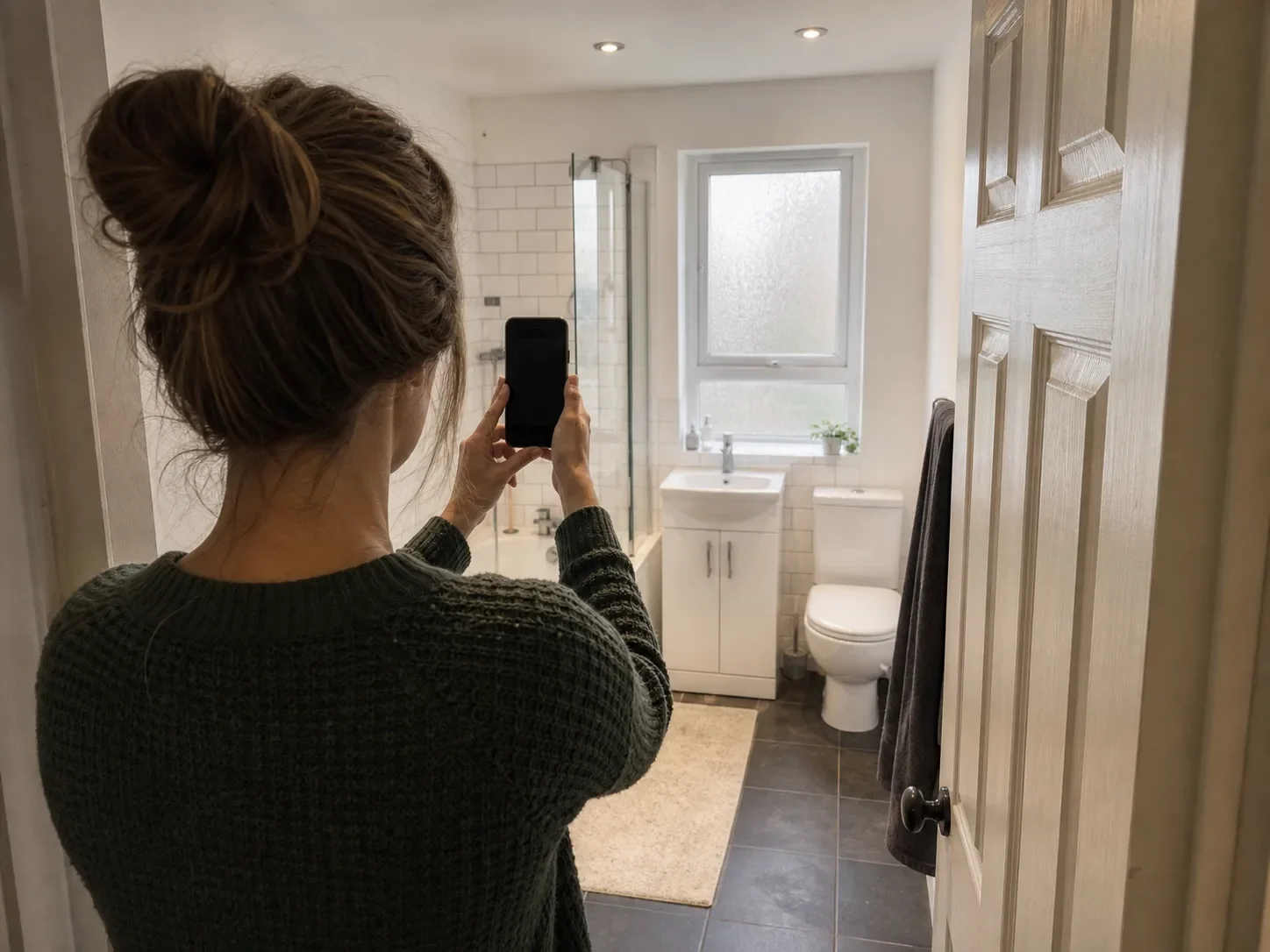
Stand in the doorway and capture as much of the bathroom as possible.
02
Say what you want
Pick a style or describe it: spa-like, warm stone, less clinical than it is now.
03
Let the AI redraw it
The tool changes tile, fixtures and finishes in an image. It does not know where the plumbing runs.
04
Compare and refine
Keep immovable elements such as the window and shower position, then vary the finishes.
Quick comparison
UK App Store ratings and published pricing, checked July 2026. A dash means the rating was not available.
Tool
Type
Rating (UK)
Free tier
Price from
RoomGPT
iOS + web
4.5★ (734)
1 design
$5.99/wk · $49.99/yr
Home AI
iOS + Android
4.4★ (11,000)
~2/day, ad-heavy
$4.99/wk · $19.99/yr
Homestyler
iOS + web
4.3★ (611)
Free tier + credits
$2.99/wk · $69.99/yr
Interior Design Clinic
iOS + Android
4.8★ (32)
Credits included
$9.99/wk · $49.99/yr
Remodel AI
iOS, Android, web
—
3 designs, no card
$29/mo · $349/yr
Decory
iOS + Android
—
15+ styles free
$4.99/wk · $39.99/yr
Decoratly
Web
—
2 renders, no email
$3.99 for 24 hours
GenRoom
Web
—
4 credits, no card
$9.99 one-time
Home Design AI
Web
—
Full tool, no signup
$9.99/mo · $119/yr
Block
Web
—
Free, login required
Free (lead-gen tool)
Planner 5D
Web + apps
—
Free, AI is paid
$4.99/mo · $59.99/yr
How we ranked these
Mobile apps are ordered by App Store rating, always paired with the number of people who gave it. A rating without a count is close to meaningless — forty reviewers and forty thousand produce very different levels of confidence in the same number.
Ratings are stored per country, and figures here are taken from the UK store, checked July 2026. Review quotes are from public App Store reviews. Pricing and features come from each product’s own published information.
Free with in-app purchases. Weekly from $5.99. Yearly $59.99, frequently discounted to $49.99. Credit packs from $2.99.
Free tier
One design, then paywalled.
The best-known name in the category, claiming over four million users, and perfectly capable on a bathroom. What it doesn’t have is any bathroom-specific control — no separate tile tool, no way to change the floor without changing the walls. You get a whole-room redesign each time.
Pricing is the other friction point. The website shows a discount code rather than a price list, so you discover the cost at the paywall, and reviewers report generation limits that aren’t obvious at purchase:
“The cost is 5.99 for one week however there was no fine print telling you that there’s a limit on the number of images it can generate in a week.”
Free with in-app purchases. Weekly $4.99–$14.99, yearly $19.99–$39.99.
Free tier
Around two designs a day, with frequent upgrade prompts.
By a wide margin the most-rated app here — 11,000 ratings against RoomGPT’s 734, and over 10 million downloads on Google Play. It handles bathrooms as one of several named room types rather than as an afterthought, and at $19.99 the yearly plan is the cheapest of any app on this list.
The trade-off is how often you’re interrupted:
“After choosing a color scheme, I got the same popup prompt to try the 3-day free trial of Pro… it took me to the Pro upgrade screen again.”
Free with in-app purchases. AI credit packs from $0.99, weekly $2.99, monthly $9.99–$19.99, 12-month membership $69.99.
Free tier
Usable free tier with credit-based AI generation.
The oldest product here and the most feature-dense — a full design environment rather than a photo-redesign tool, with wall coverings, flooring, fixtures, lighting and a large catalogue.
It’s disproportionately useful for bathrooms specifically, because it will take an uploaded floor plan and build a 3D model from it. Bathrooms are the most layout-constrained room in the house, and this is the only app here that lets you test whether a rearrangement physically works before deciding how it should look.
“I’ve been using Homestyler off and on for over three years… Now, you can upload a floor plan, and it will generate a 3D model of the room.”
Others find the catalogue quality uneven:
“The items to put in a room are distorted and also blurry.”
At $2.99 weekly and credit packs from $0.99, it’s also the lowest-commitment way to try AI generation here.
Newer apps worth knowing about
Some of the most interesting products in this category are the newest ones. Review volume takes years to build, so a strong recent release can sit outside a sample-based ranking while still being the better tool for your room. All three below are worth a look — one of them holds the highest rating on this page — with sample sizes shown so you can weigh them yourself.
Free to download with credits included. IDC Pro from $9.99/week or $49.99/year, discounted annual plans from $25.
Free tier
Credits included on download.
Top of the page on rating, at 4.8 stars — though those come from 32 reviewers, so treat it as a promising early signal rather than a settled verdict.
What separates it from the rest of this list is that the styles come from a working designer rather than a general-purpose model, so the style library reflects specific decisions rather than generic labels. The editing model is also more forgiving: rather than regenerating the whole room each time, you can direct it in plain English — “keep the bath where it is, change everything else” — which matters more in a bathroom than anywhere else, since the fixture positions are usually the one thing you can’t change.
Weekly from $4.99, monthly $14.99–$27.90, annual $39.99–$49.99.
Free tier
15+ styles free, around 30-second turnaround.
The free tier includes shoppable furniture links and PDF export, unusual at that price. Reviews raise the layout-fidelity problem common across the category:
“The suggestions it gives you don’t even have the same layout as the room you upload a pic of.”
Three designs at full quality with no credit card.
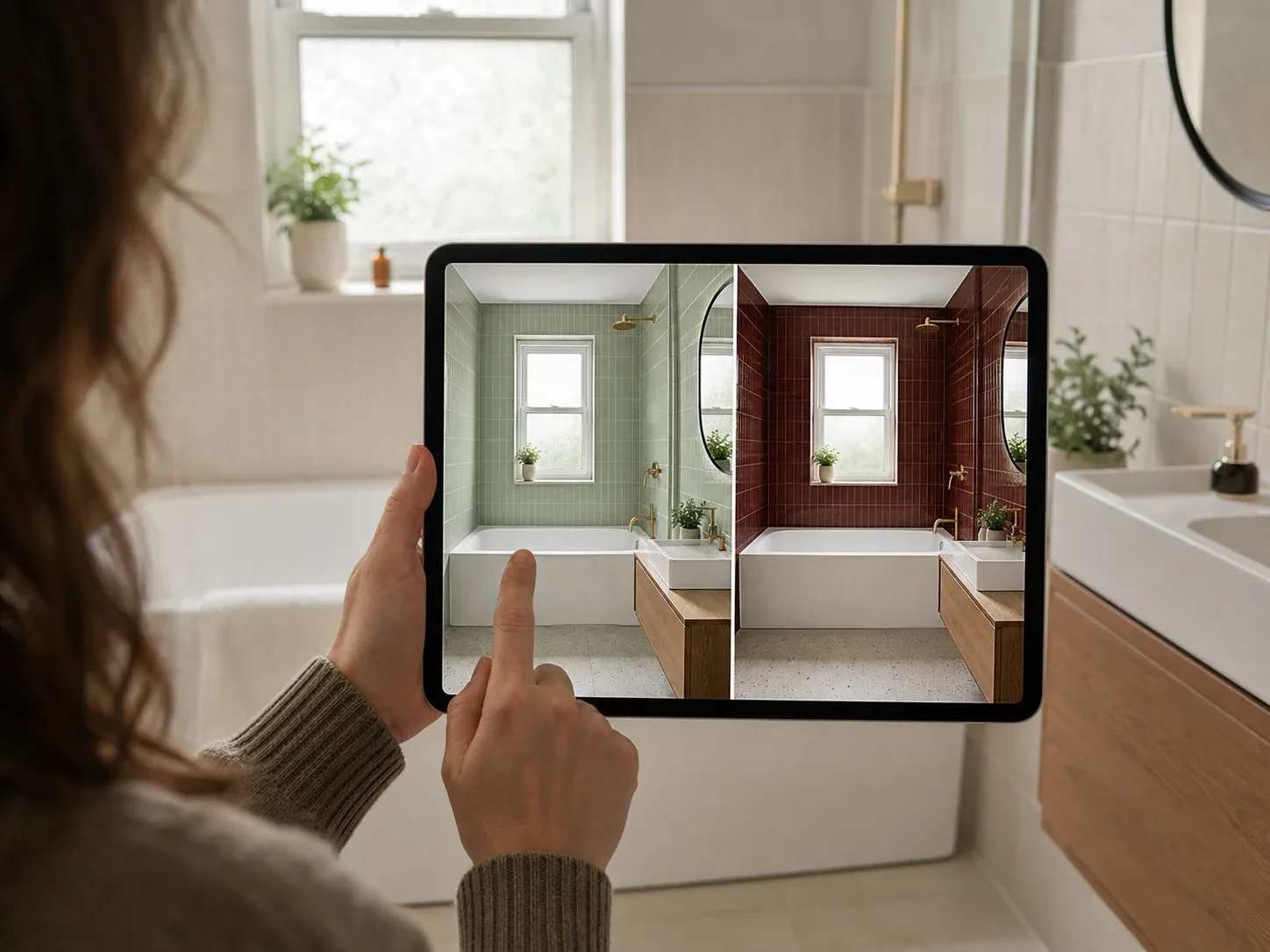
The most generous no-card offer in this comparison, and it has separate tile and paint tools — genuinely useful in a bathroom, where you often want to test four wall colours against one floor rather than regenerate the whole room each time. That kind of constrained editing is rarer than it should be.
We’ve left the star rating out, and the reason is worth knowing before you download. Two different apps called Remodel AI sit on the App Store, from unrelated developers, with very different ratings. We couldn’t establish with confidence which belongs to remodelai.io, so we’ve omitted the figure rather than risk attaching the wrong one. Check the developer name on the listing against the link on their own site before subscribing.
App names aren’t exclusive, and the better-known tools in this category attract close imitations — a good general reason to check who actually publishes an app before paying for it.
Subscription tiers run to $1,199 a year, the most expensive here by some margin, and priced for professionals rather than someone doing one bathroom.
A warning about bathroom-only apps
Search the App Store for “AI bathroom design” and you’ll find a cluster of apps built specifically for bathrooms. They look appealing — a dedicated tool for exactly your problem — and most of them should be avoided.
The three currently ranking in search results are all single-developer apps with tiny user bases. One has 13 ratings in the UK store, another has four, and the third hasn’t accumulated enough to display a rating at all. All three charge between $34.99 and $44.99 a year, and one charges $7.99 a week — more than RoomGPT, which has fifty times the reviews.
None of them offer anything the general-purpose tools don’t. “Bathroom” in the app name is positioning, not capability — the underlying image model is the same kind used by every other app here, and a specialised name doesn’t make it better at tile.
The rule: in this category, a small rating count and a full-price subscription is a bad combination. If an app has fewer than a few hundred ratings, use its free tier before paying anything, and be cautious of annual plans.
Five web tools, if you’d rather use a laptop
A phone is better for photographing the room. A laptop is better for comparing tile options side by side at a size where you can actually see the difference.
Two full renders, no watermark, HD download, no email, no credit card.
The most generous genuinely-free offer in this comparison: two complete bathroom renders at full quality, watermark-free, without handing over an email address. 85+ styles including spa, Japandi, coastal and dark drama.
The pricing model is the interesting part. A $3.99 day pass gives unlimited renders, 4K output and PDF export for 24 hours. For someone designing one bathroom over a weekend, that’s a fundamentally better deal than any annual subscription on this page.
$9.99 for 36 credits, $19.99 for 100, $39.99 for 300. One-time purchases, not recurring.
Free tier
4 credits, no credit card.
The other tool here that doesn’t want a subscription. Credits don’t expire, which suits a renovation that stalls for three months waiting on a contractor. 63 styles, and a text-based editor for refining a render rather than regenerating from scratch.
Free tool with no signup. Paid plans $9.99/month ($119/year) up to $49.99/month.
Free tier
Genuinely usable without an account.
The only tool here that lets you upload a photo and generate without creating an account at all. Paid plans add 4K export, commercial rights and watermark-free downloads, and there’s a separate floor planner for measured layouts.
Different from everything else here, and worth understanding before you use it. Block is a renovation platform that matches homeowners with contractors, and their bathroom planner is free because it generates leads. Alongside renders it produces cost estimates based on local market data, which none of the pure design tools attempt.
That’s genuinely useful — cost estimation is the biggest gap in every other tool on this page. Just go in knowing that the output is the front end of a contractor referral, not a neutral design tool.
Free tier. Premium $4.99/month ($59.99/year). Professional $49.99/month ($399.99/year).
Free tier
Unlimited projects and half the furniture catalogue; the AI generator is Premium-only.
Spatial planning rather than image generation: real floor plans, real dimensions, 3D models you can walk through. In a bathroom this matters more than in any other room — if your question is whether a 1700mm bath fits once you’ve added a walk-in shower, this is the only tool here that can answer it.
What AI consistently gets wrong in bathrooms
Bathrooms are the hardest room for these models, and it’s worth knowing why before you trust a render.
Mirrors, glass and chrome. Image models are weakest on reflective and transparent surfaces, and a bathroom is mostly reflective and transparent surfaces. Expect mirrors reflecting things that aren’t in the room, shower screens that dissolve at the edges, and taps that don’t quite resolve. This is the single most common artefact in AI bathroom renders.
Tile pattern repetition. Tile is a regular grid, and models handle regular grids badly across large areas. Look closely at renders and you’ll often find the pattern drifting, grout lines that don’t align across a corner, or a feature tile that changes size halfway up the wall.
Fixture plausibility. Bathrooms are full of standardised objects — a toilet, a basin, a bath are all near-fixed sizes. Models routinely produce a basin slightly too large for its vanity or a shower tray in a size that isn’t manufactured. It reads fine at a glance and means nothing in the render is dimensionally trustworthy.
Small and windowless rooms. Most bathrooms are small, many have no natural light, and models trained largely on bright spacious interiors tend to quietly enlarge the room and add a window. If your render looks better than your bathroom could possibly look, check the proportions against your photo.
None of this makes them useless. It means using them for the question they’re good at — what does this palette and this tile feel like in my room — rather than the questions they’re bad at.
Do you actually need a subscription?
For one bathroom, almost certainly not.
Most tools here default to monthly or annual subscriptions, which suit designers and estate agents doing this repeatedly. A homeowner redesigning a single room has a different shape of need: heavy use for a week or two, then nothing.
Three options fit that better than any subscription:
Decoratly — two full renders free, then $3.99 for 24 hours of unlimited use
GenRoom — 4 free credits, then $9.99 one-time for 36 credits that don’t expire
Home Design AI — free, no account required
Between those, you can generate a substantial number of bathroom options for under $15 total. A $49.99 annual subscription only makes sense if you’re doing several rooms, need commercial licensing, or are sending renders to clients.
If you do subscribe, note that weekly plans are consistently the worst value here. A $7.99 weekly plan is $415 a year.
Visualisation tools versus planning tools
The distinction matters more in a bathroom than in any other room, because bathrooms are the most constrained space in the house.
Visualisation tools take a photo and return a picture — RoomGPT, Home AI, Interior Design Clinic, Remodel AI, Decoratly, GenRoom, Home Design AI. They answer one question well: what would this room look like with different tile, fixtures and finishes?
Planning tools work from dimensions — Planner 5D, Home Design AI’s separate floor planner, and Homestyler’s floor-plan-to-3D feature. They answer whether it fits.
The plumbing constraint
Here is the thing that separates bathrooms from every other room. You usually cannot move a toilet.
A toilet connects to a soil stack, and relocating it means either a new run of large-diameter waste pipe at a specific fall, or a macerator. Both are expensive, both have consequences, and in a flat both may be impossible. Basins and showers are more flexible but still tied to drainage.
An image generator does not know any of this. Ask for a spa bathroom and it will cheerfully produce one with the toilet somewhere new, the bath under the window, and a walk-in shower where your airing cupboard is. The image will be beautiful and the plan will be undeliverable.
So: if you’re changing tile, fixtures, paint and finishes while keeping everything where it is, a visualisation tool is the right choice. If you’re moving anything that connects to a drain, establish what’s possible first — with a floor planner and ideally a plumber — and only then decide how it should look.
Worth being blunt about the limits: none of these tools, planners included, will tell you what your project costs, what building regulations require, or whether your soil stack can take another connection.
Bathroom styles worth previewing
The advantage of generating rather than browsing is that you see your own room, not a showroom. A few directions worth testing:
Spa minimalism — large-format tile, limited palette, concealed storage, warm rather than cool neutrals. Reads as calm rather than clinical, which is the usual failure mode of a white bathroom.
Warm minimalism — timber vanity against stone or microcement, matte finishes, brushed rather than polished metal. Generally the most forgiving direction in a small bathroom.
Japandi — light woods, low contrast, minimal hardware, a lot of restraint. Works especially well in windowless rooms where high contrast reads as harsh.
Dark and moody — deep green, charcoal or clay with brass. Counter-intuitively effective in small bathrooms and cloakrooms, where trying to make a tiny room feel big usually fails and leaning into it doesn’t.
Traditional — panelled walls, freestanding bath, patterned floor tile. Suits period properties where a flush modern scheme fights the building.
How to photograph your bathroom for the best result
Photo setup Shoot from the open doorway, keep the camera level and avoid photographing into the mirror.
Whichever tool you settle on, the biggest factor in output quality is the photo, and bathrooms are harder to photograph than any other room.
Shoot from the doorway. In most bathrooms it’s the only position that captures the room. Stand in the frame itself if you need to.
Use the standard lens, not ultra-wide. Tempting in a small room, but ultra-wide bends the walls at the edges and the AI reproduces the distortion — you’ll get a render with curved tile lines.
Turn every light on, and open the door. Bathrooms are the darkest room in most homes. Leaving the door open behind you adds a lot of usable light.
Deal with the mirror. A mirror facing your camera position will put you in the photo and confuse the model. Shoot from an angle where the mirror reflects wall rather than lens where you can.
Clear the surfaces but leave the fixtures. Take away bottles, towels and bins. Leave the bath, basin and toilet — the AI uses them to judge scale, and a stripped bathroom often comes back with proportions that feel wrong.
Take three or four angles. From the doorway, from the far corner, and one along the length of the room. If the first produces a poor result you have alternatives ready, which matters on free tiers with limited generations.
What a bathroom costs — and which decisions a preview actually helps with
A bathroom is a small room that costs a surprising amount, and the reason is that almost none of the spend is on things you can see.
Angi’s 2026 data puts the average bathroom remodel at $12,200. By scope: budget renovations run $80–$120 per square foot, mid-range $180–$280, and luxury $500–$800+. A small or half bathroom runs $1,500–$15,000 depending on finishes; a full renovation with new tile and new shower runs $15,000–$45,000; a primary suite $40,000–$80,000+.
Where the money goes, and whether AI can help
Decision
Typical cost
How hard to reverse
Does a preview help?
Wall paint
Minimal
Trivial
Yes, though expect colour drift
Fixtures and hardware
Small
Easy
Partly — models render metal poorly
Vanity
$500–$4,000
Moderate
Yes — strong use case
Wall and floor tile
$1–$15 per sq ft
Expensive, disruptive
Yes — the strongest use case
Flooring
$700–$4,200
Disruptive
Yes
Bath or shower swap
Significant
Very hard
Partly — check plumbing first
Moving a toilet
Significant
Often impossible
No
Waterproofing
Hidden
n/a
No
Labour
40–65% of total
n/a
No
Labour is the story
That labour figure is the most important number on this page. In a kitchen, labour runs around 25% of the budget. In a bathroom it’s 40–65% — because waterproofing, tiling, and plumbing in a room the size of a large cupboard is slow, skilled, sequential work that can’t be rushed or parallelised.
The practical consequence: a majority of your bathroom budget goes on things no design tool can preview. Tanking, substrate, extraction, the days a tiler spends on a small room with a lot of cuts. You could visualise every finish perfectly and still be looking at less than half the cost.
That’s not an argument against using these tools. It’s an argument for being clear about what they’re doing — de-risking the visible decisions, which are the ones you’ll live with, not the ones that dominate the invoice.
Tile: the decision worth spending time on
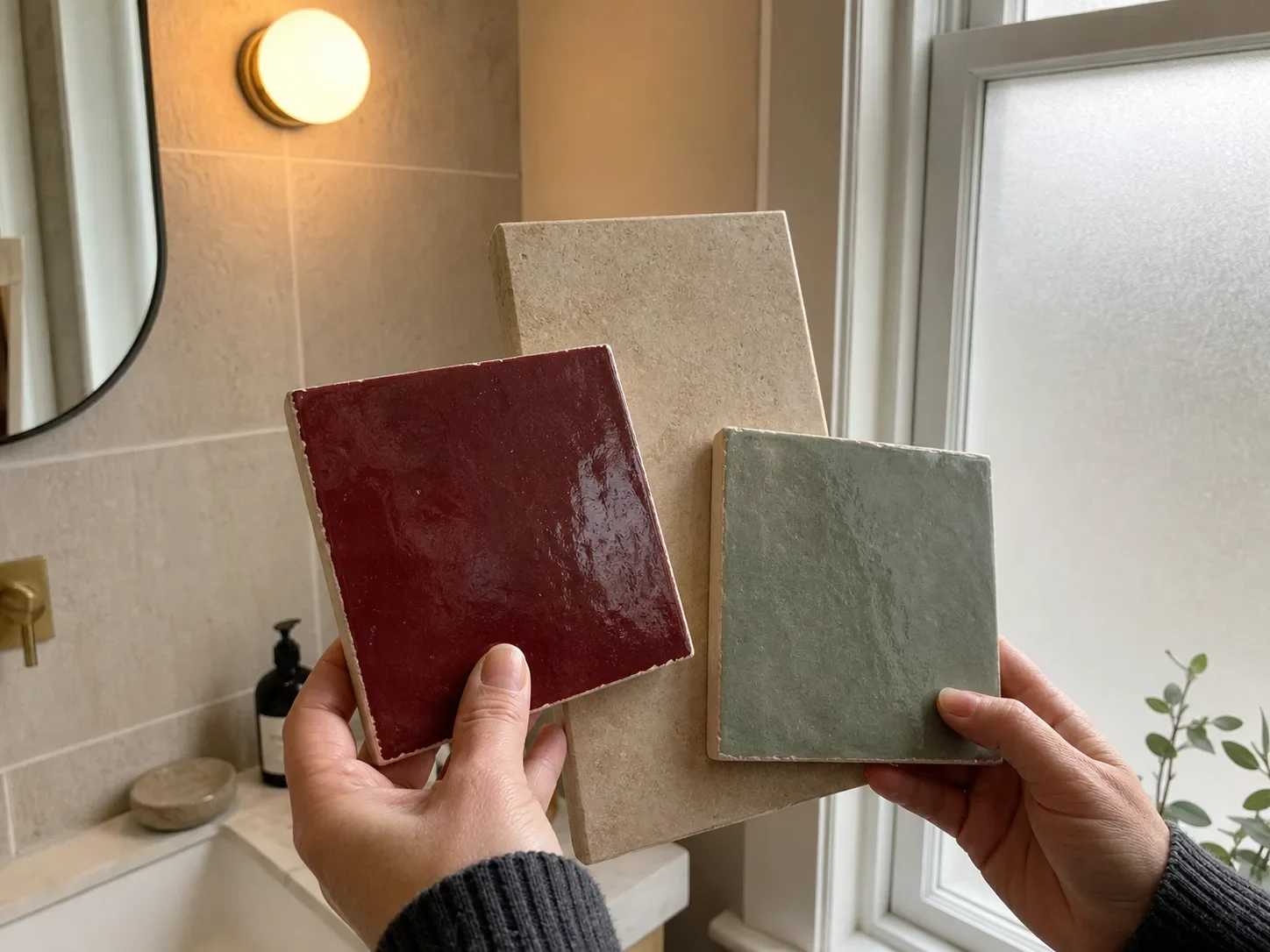
Decision detail Tile changes with light. Check full-size samples beside the window and with the room light on.
Tile is cheap per square foot and expensive to change. Basic ceramic starts around $1 per square foot; natural stone and designer options run $15 or more. But the material cost is a fraction of the installed cost, because tiling is labour, and re-tiling means stripping back to substrate.
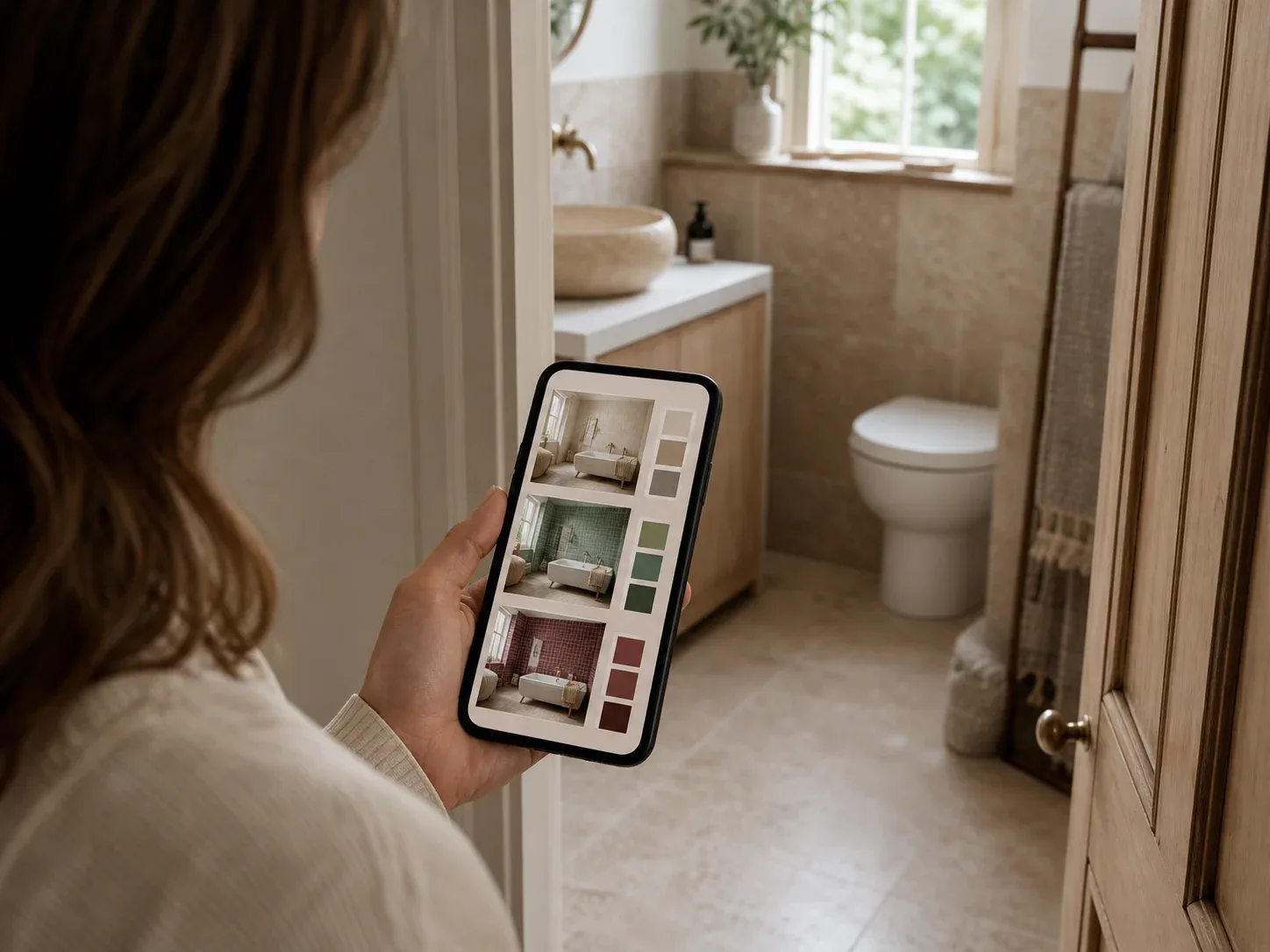
It’s also the decision that most defines the room and the hardest to judge from a sample. A 150mm sample tells you the colour. It doesn’t tell you how a pattern reads across a wall, how much grout line you’re introducing, or whether large-format tile will make a small room feel calmer or just make the cuts awkward. Generating the same bathroom with three or four tile choices answers a question a sample board genuinely cannot.
And if you’d rather someone else decided
Angi and HomeGuide put interior designers at $100–$500 per hour, or $2,000–$12,000 per room.
For a bathroom, the more common and more useful professional is a good bathroom fitter or a bathroom showroom’s design service, both of which will work within your plumbing rather than around it. These tools are what you do before that conversation, so you arrive knowing which direction you want rather than being sold whatever the showroom is discounting.
Before you commit
Establish what can move before deciding how it looks. In a bathroom the plumbing decides the layout, and the layout decides everything else. Find out what your drainage allows before falling for a render.
Tile first, then everything else. It’s the largest surface, the biggest visual decision, and the most disruptive to change. Generate every tile option under the same lighting before choosing.
Budget for what you can’t see. Waterproofing, extraction and substrate aren’t visible in any render and can’t be skipped. If a quote looks cheap, check what’s been left out.
Test in the actual light. Bathrooms are usually artificially lit, often with cool-toned bulbs that make warm whites look grey. AI renders are lit optimistically; real bathrooms rarely are.
Keep 10–15% back for contingency. Bathrooms uncover more problems per square foot than any other room — old pipework, rot under a tray, floors that aren’t level.
Don’t let the render make the decision. These tools are very good at producing an appealing image and completely indifferent to whether it can be plumbed. Use them to narrow your options, then take the shortlist to someone who can tell you what it costs.
Frequently asked questions
Can AI design my bathroom for free?
Yes, more genuinely than in most categories. Decoratly gives two full watermark-free renders without an email address, GenRoom gives four credits without a card, and Home Design AI works with no signup at all. Between them you can test a lot without paying.
Can AI design apps move my plumbing?
No, and this is the most important limitation. These tools generate images and have no knowledge of your drainage. A render showing the toilet somewhere new is a picture, not a plan — moving a toilet means new waste runs or a macerator, and in some properties it isn't possible at all.
Can AI preview bathroom tile before I buy?
Yes, and it's the best use of these tools. Just check the render closely — tile is a regular grid, and models often drift the pattern or misalign grout lines across corners. Judge the colour and overall effect, not the detail.
Do these tools work for a small or windowless bathroom?
They work, but watch for the room quietly getting bigger. Models trained on bright spacious interiors tend to enlarge cramped rooms and occasionally add a window. Always compare the render against your original photo.
How accurate are the colours?
Less accurate than you'd like. The common complaint across reviews is that a requested colour comes back altered, usually because the tool changed the lighting at the same time. Use renders for direction, then confirm with a physical sample in the actual room.
Can I give an AI bathroom design to a fitter?
As a reference for the look, yes, and it's genuinely useful for that. Not as a specification — these produce images, not measured drawings, and nothing in them is dimensionally reliable.
Why does an app's rating differ from the one I see?
App Store ratings are stored per country. An app with a large global user base looks similar across storefronts, but newer apps with only a few dozen ratings in each market can differ substantially. Check your own country's store rather than relying on a figure quoted anywhere else, including here.
Are bathroom-specific apps better than general ones?
Generally no. The apps with "bathroom" in the name are mostly small single-developer products with very few reviews charging full-price subscriptions. The underlying technology is the same. Judge on rating count and free tier, not on the name.
Is a weekly subscription worth it?
Rarely. Weekly plans are the worst value here — $7.99 a week is $415 a year. For a single bathroom, a day pass or a one-time credit pack costs a fraction of that.
Interior Design ClinicDesign the home you love — free
 RoomGPT
 Home AI
 Homestyler
 Interior Design Clinic
 Remodel AI
 Decory
 Decoratly
 GenRoom
 Home Design AI
 Block
Block Planner 5D